Showing posts with label video. Show all posts

Wednesday, June 29, 2016

DFM chat on the real value of video for small to mid-sized news organizations

Did you know? Nobody wants to watch a video of a dude sitting on a desk.


Digital First Media and other journalists, members of the community and fans of journalism are going to participate (or lurk) in a Twitter chat Wednesday at noon, Eastern Time, to talk about all things journalism.

Today we are are talking about video, especially as it pertains to mid-size to smaller news organizations. Should small news organizations even bother with videos that likely are only going to get modest views? Are you shooting video for the sake of doing video? What is the real goal? How are you accomplishing those goals? As a user, what kinds of video do you watch and want to watch online?

In a news environment of limited resources and staff, how can those efforts be refocused? Is there such a thing as a cost-effective and easy-to-produce-and-publish mobile-friendly video?

If you want to be in the post chat archive, post a comment in the container or a tweet with the hashtag "#dfmchat" so it can automatically appear below. Bring your videos!

Wednesday, September 30, 2015

DFM chat on emerging trends in journalism


Journalists, members of Digital First Media and pretty much everyone else who wants to - are going to be taking part on the weekly Twitter chat Wednesday at noon, Eastern Time.

Today we are talking about emerging trends in journalism. From Facebook Signal to Virtual Reality to ad blockers and anything that's happening, including the rise of ad blocking. Let's get ahead of the curve. What are things to look forward? What should journalists keep an eye on? And what can journalists do in the meantime?


If you want to chime in, post a comment in the container or a tweet with the hashtag "#dfmchat" so it can automatically appear below.

Wednesday, September 9, 2015

DFM Chat on the use of vertical video in mobile

Journalists, members of Digital First Media and pretty much everyone else who wants to - are going to be taking part on the weekly Twitter chat Wednesday at noon, Eastern Time.

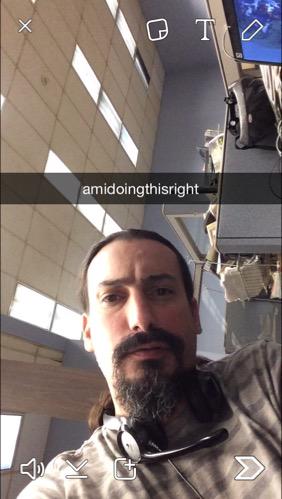
Today we are talking about vertical video! Why? Because phones! So what do you do with it? How can newsrooms handle them in articles? What do you do with videos after live streams via mobile apps? What about Snapchat?

If you want to chime in, post a comment in the container or a tweet with the hashtag "#dfmchat" so it can automatically appear below.

Wednesday, June 3, 2015

DFM chat on using live mobile video

Journalists, members of Digital First Media and pretty much everyone else who wants to - are going to be taking part on the weekly Twitter chat Wednesday at noon, Eastern Time.

Today we are talking about mobile live video. What is the value of using live-streaming apps like newcomers Periscope, Meerkat or Ustream, Livestream and the others? What are the advantages and disadvantages of using those apps? What's then, the best way to implement their use in news coverage? Bring your #realtalk (and your livestreaming apps).

The feed is posted below. You can also check out past chats over here.

If you want to chime in, post a comment in the container or a tweet with the hashtag "#dfmchat" so it can automatically appear below.

Wednesday, August 27, 2014

How to improve web videos in journalism

Journalists, members of Digital First Media and pretty much everyone else who wants to - are going to be taking part on the weekly Twitter chat at noon, Eastern Time.

Today we're talking about how to improve web videos in journalism. When is it appropriate to step back and do a little production vs. just uploading raw stuff? Also, ARE YOU STILL DOING TALKING HEADS? #becausecmonits2014. Bring your ideas, links and #realtalk.

AND YOUR APPS.


The feed is posted below. You can also check out past chats over here.

If you want to chime in, post a comment in the container or a tweet with the hashtag "#dfmchat" so it can automatically appear below.

Wednesday, July 17, 2013

DFM chat on Tout in journalism

Journalists, members of Digital First Media and pretty much everyone else who wants to - are going to be taking part on the weekly Twitter chat at noon, Eastern Time.

Today we're talking about journalistic uses for Tout, a mobile video tool.

The live feed is posted below. You can also check out past chats over here.

If you want to chime in, post a comment in the container or a tweet with the hashtag "#dfmchat" so it can automatically appear below.

Tuesday, April 23, 2013

How to collectively create a mobile cloud-based newsroom B-roll library with Dropbox

So you've (hopefully) got a bunch of reporters with iPhones and want to easily punch up your videos with B-roll, intro files, closing credits, etc. But you don't have the time or are unable to do it because you're at the scene.
Someone in your newsroom probably has done this already. So why not share it?
The answer typically is that the workflow hasn't been worked out properly.
Enter the cloud.
If you all use Dropbox and share a folder, you can all share all your B-roll videos so that you can make your own clip in iMovie (or whatever video software you prefer), fast and professionally.

Here's how to do that:

WHAT YOU NEED:
* A bunch of reporters with iPhones/iPads (2 or above)
* Dropbox (free) and iMovie ($4.99).

SET UP:
* Have a master account (like your paper's brand) and share a folder with everyone in the group.
Create sub-folders within it for each reporter/videographer.


On your device, allow Dropbox to upload items from your camera. To do this, go to Settings, Camera Upload, and set it to On.


This will upload your photos and videos to your Camera Uploads folder in Dropbox.Only you can access this folder.

Note that in the shared folder, outside of the sub-folders, I put an intro file. That way everyone can access it remotely.

EXECUTION:
* To get a file from Dropbox to your camera roll, all you need to do is make the file a favorite, and then download it. If you don't favorite the file, Dropbox won't let you download movies.

So on my phone, I went to Dropbox, added the intro file to my favorites and save the intro to my camera roll, so I now have it for all my videos.

On iMovie, add your intro, your video and boom, you're done. Here's a quick example for didactic purposes:

* To add a B-roll file to the shared folder, simply shoot the video and save it to your camera roll.
Boot up your Dropbox app and move the video from your personal Camera Roll to the shared folder.


That way, everyone can use it. If they're short, you can upload them with cellular service, otherwise you'll have to find a wireless spot.